# 3. Firebase Setup

We have used the Firestore Database from Google as the backend for this project.

* &#x20;First, Go to the [Firebase Console](https://firebase.google.com/) and sign in with your email account and go to the console.
* Create a project by your app name. And go to the project overview.

<div align="left"><figure><img src="https://3767936052-files.gitbook.io/~/files/v0/b/gitbook-x-prod.appspot.com/o/spaces%2Fcv8FlmekAQLXUn7f8PbK%2Fuploads%2FrRAsOgiteJnpvTmw0GbN%2FScreenshot%202022-12-16%20at%2010.45.10%20PM.png?alt=media&#x26;token=12def6bf-71f3-452a-884d-4025a8eec9f9" alt=""><figcaption></figcaption></figure></div>

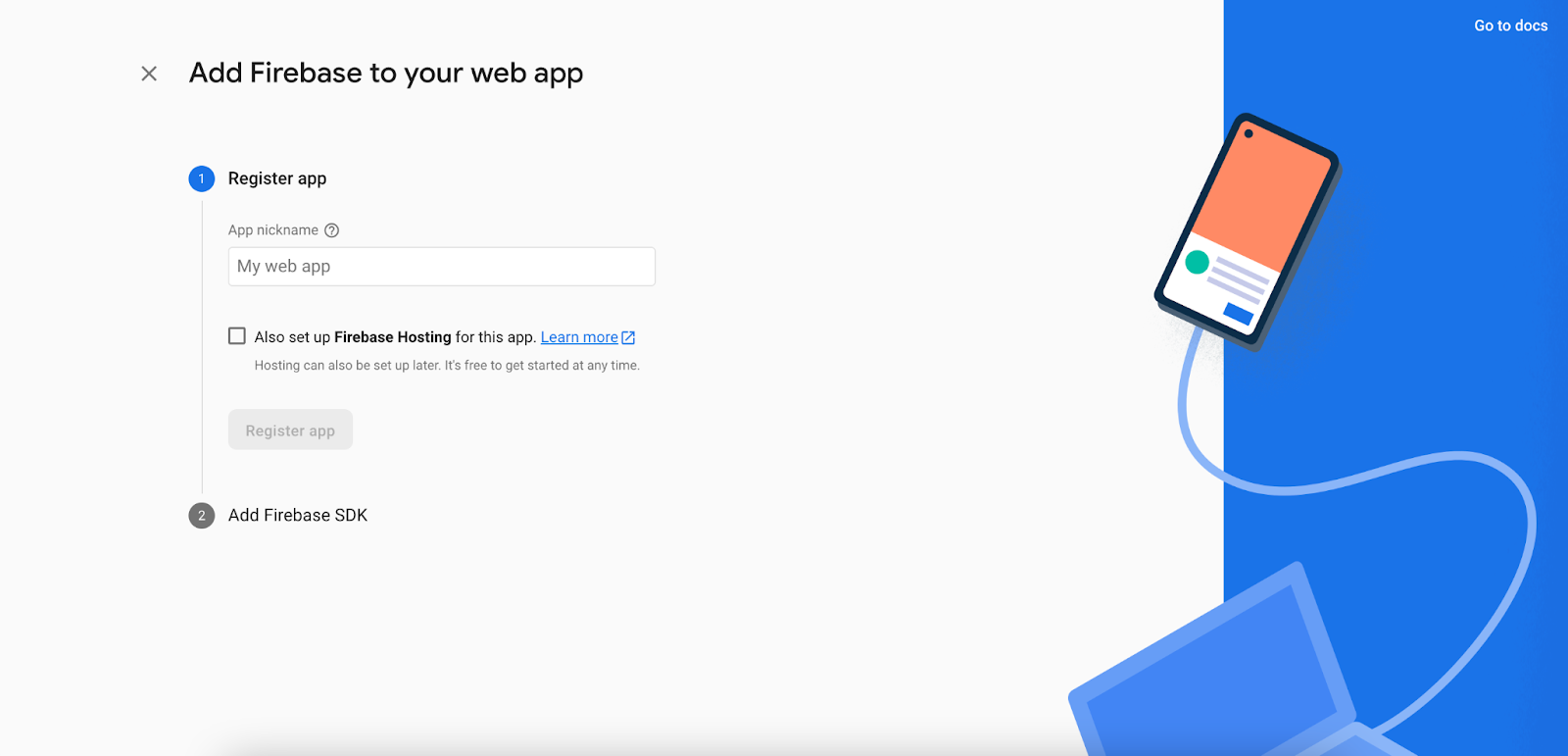
* Click on the **plus icon** and then click on the **web icon**. You will see a popup like the second picture below:

<figure><img src="https://lh4.googleusercontent.com/hD1-pDhSNGzuuvvkwK8CKokkPU69yxD4S1hGGho96GMq6yFjQEe4AflMA3fcWie_QzO_aq1_Fow3c7ehze5-lh39A7a5981THr1S8tYlRO4i2a6F3m0NFnis3c0fy_JQOe7m6y4O0ReTrQCbNIuR6Dh3nV2Z_KGLyPJi9Bv5Fx0rPfWBgyiBZSAR0Yyj" alt=""><figcaption></figcaption></figure>

<figure><img src="https://lh5.googleusercontent.com/Zz9MZPGnp6xpddwyGjKE-2ckHITSlR3z5rFqzPmDtXHzRUKZ0ao02VMXzCUJc_9Axh92YLVtyBv5IJSUNDuD8_aymPCjRzoryA3z4mMMEtniaS1ZLTnzLVCbjP-AT7t78tEfbAUjFJNQfwrNfAZRxXxEXIhoYQi-9j9_UlvawW3tD7fAgI4KESRwC0FP" alt=""><figcaption></figcaption></figure>

* Input the name as **Admin Panel** and fill in the checkbox because you need hosting too and then click on register app. After that, Skip the other options by clicking next. (Don’t input a custom name for hosting else you need extra setup for this which is not recommended)
* Now go to **Project Settings**. At the bottom, Select the **Admin Panel** and copy the selected lines shown in the picture below:

<figure><img src="https://3767936052-files.gitbook.io/~/files/v0/b/gitbook-x-prod.appspot.com/o/spaces%2Fcv8FlmekAQLXUn7f8PbK%2Fuploads%2F7KBvxmC3g2IWPwSVBCOJ%2FScreenshot%202022-12-17%20at%201.43.34%20PM.png?alt=media&#x26;token=c7c9dec2-bf98-4175-a87a-885ed86b98c8" alt=""><figcaption></figcaption></figure>

* Now, go to your IDE and open the **lib/firebase\_option.dart** file and paste the line there.

<figure><img src="https://3767936052-files.gitbook.io/~/files/v0/b/gitbook-x-prod.appspot.com/o/spaces%2Fcv8FlmekAQLXUn7f8PbK%2Fuploads%2FcOjO4fQ9qJNtL2iCMXgw%2FScreenshot%202022-12-17%20at%201.46.37%20PM.png?alt=media&#x26;token=01d51393-ad49-4b90-8251-7520790f6a13" alt=""><figcaption></figcaption></figure>

That's it.